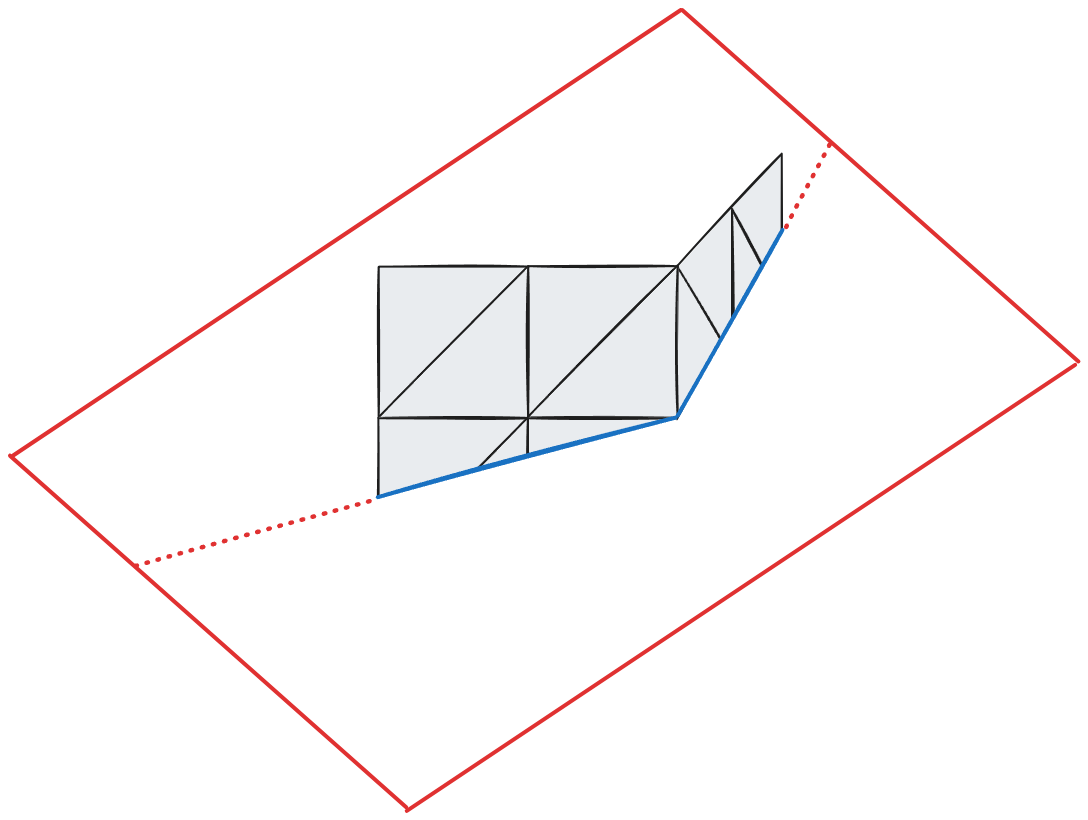
FindPath():
    while UnexploredQueue is not empty:
        // 가장 유망한 후보 선택
        currentIndex = UnexploredQueue.PopMin()
        currentPoint = ComputedPoints[ currentIndex ]
        currentTriangle = currentPoint.Triangle

        // 목적지 도달 확인
        if currentTriangle contains EndPoint:
            return BuildPath( currentIndex )

        // 이미 방문한 삼각형은 skip
        if currentTriangle in ExploredTriangles:
            continue
        ExploredTriangles.Add( currentTriangle )

        // 평면이 현재 삼각형과 교차하는 지점 찾기
        crossingPoints = FindPlaneCrossings( currentTriangle, Plane )

        // 각 교차점에 대해
        for each point in crossingPoints:
            newPathLength = currentPathLength + Distance( currentPoint, point )
            priority = CalculatePriority( point, newPathLength, EndPoint )

            newIndex = AddPoint( point, nextTriangle )
            UnexploredQueue.Push( newIndex, priority )
평면 교차 찾기
FindPlaneCrossings( Triangle, Plane ):
    crossings = []
    vertices = Triangle.GetVertices()

    // 각 정점의 평면까지 거리 계산
    for i = 0 to 2:
        distance[ i ] = SignedDistance( vertices[ i ], Plane )
        sign[ i ] = Sign( distance[ i ] )

    // 1. 정점 교차 확인
    for i = 0 to 2:
        if Abs( distance[ i ] ) < Epsilon:
            // 정점이 평면 위에 있음
            crossings.Add( VertexPoint( vertices[ i ] ) )

            // 인접 삼각형들로 이동 가능
            for each neighborTri in GetNeighborTriangles( vertices[ i ] ):
                if PlaneCrossesTriangle( neighborTri, Plane ):
                    crossings.Add( point, neighborTri )

    // 2. 엣지 교차 확인
    for i = 0 to 2:
        j = (i + 1) % 3

        // 두 정점이 평면의 반대편에 있는가?
        if sign[ i ] * sign[ j ] < 0:
            // 교차점 위치 계산 (선형 보간)
            t = distance[ i ] / ( distance[ i ] - distance[ j ] )
            crossingPoint = (1 - t) * vertices[ i ] + t * vertices[ j ]

            crossings.Add( EdgePoint( crossingPoint, t ), oppositeTriangle )

    return crossings